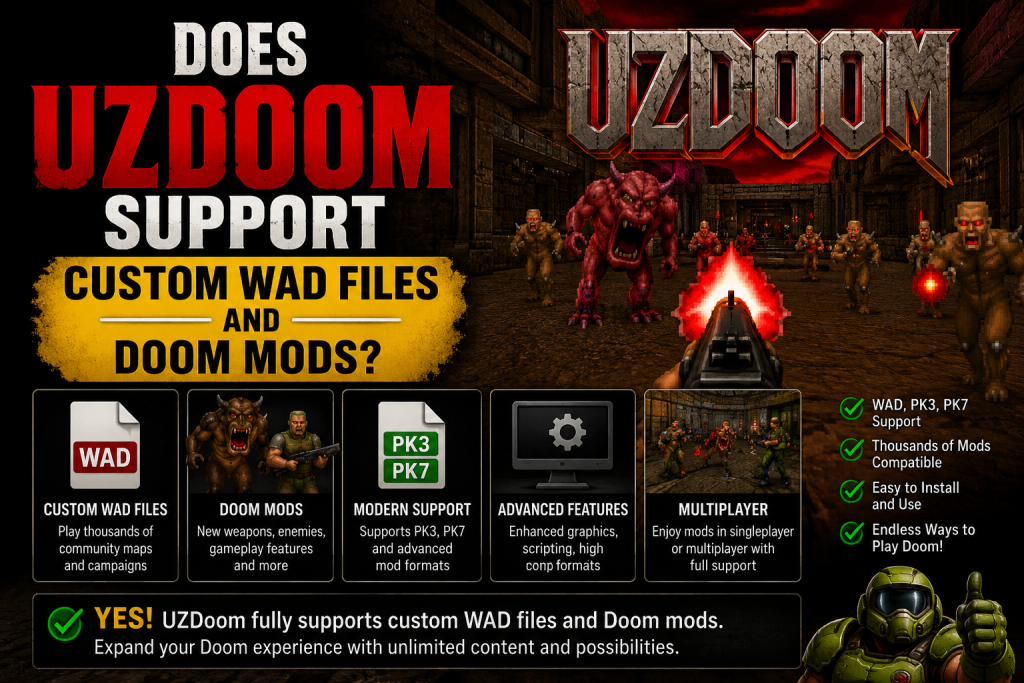
Does UZDoom Support Custom WAD Files and Doom Mods? The answer is yes, and that’s one of the biggest reasons many Doom fans choose it over older source ports. UZDoom is built to provide excellent compatibility with both classic and modern Doom content, making it easy to enjoy thousands of community-created maps, gameplay enhancements, and total conversion projects. Whether you’re revisiting the original Doom games or exploring new adventures created by talented modders, UZDoom offers a flexible and user-friendly experience.
From custom WAD files to advanced PK3 and PK7 mod packages, the engine supports a wide variety of formats that expand gameplay in exciting ways. If you want to personalize your Doom experience with new weapons, levels, graphics, or mechanics, UZDoom provides the tools and compatibility needed to make it happen.
Read More: How Do I Install UZDoom on Windows?
What Are WAD Files?
Before discussing compatibility, it’s important to understand what a WAD file actually is.
A WAD (Where’s All the Data) file contains the resources used by Doom.
These resources can include:
- Maps and levels
- Graphics and textures
- Sound effects
- Music
- Sprites
- Game scripts
- Custom gameplay elements
There are two primary categories of WAD files:
IWADs contain the original game data, such as Doom, Doom II, Final Doom, or other official releases.
PWADs are user-created files that add new content or modify existing gameplay without replacing the original game entirely.
Most Doom mods rely on these files to deliver new experiences.
UZDoom Offers Excellent WAD Compatibility
One of UZDoom’s strongest features is its broad support for custom WAD files.
Players can load thousands of community-created maps and campaigns that have been released over the years. Many classic WADs created decades ago still work perfectly, while newer projects that use advanced scripting and modern engine features also run smoothly.
This compatibility allows players to enjoy:
- Classic community map packs
- Single-player campaigns
- Cooperative adventures
- Survival challenges
- Puzzle maps
- Story-driven episodes
For anyone interested in exploring the enormous Doom modding scene, UZDoom makes the process simple and accessible.
Support for Gameplay Mods
Beyond custom maps, UZDoom also supports a wide variety of gameplay modifications.
Gameplay mods can completely change how Doom feels by introducing:
New Weapons
Many mods replace the original arsenal with modern firearms, futuristic energy weapons, fantasy magic systems, or entirely unique combat mechanics.
New Enemies
Custom monsters provide fresh challenges, improved AI, and entirely original boss encounters that dramatically change gameplay.
Updated Mechanics
Some mods introduce features like:
- Jumping
- Sliding
- Weapon upgrades
- Inventory systems
- RPG progression
- Crafting mechanics
- Improved movement
These additions help modernize Doom while preserving its fast-paced action.
High Compatibility with Popular Doom Mods
One of the reasons players choose UZDoom is its ability to run many of the community’s favorite projects.
Popular categories of compatible mods include:
Graphic Enhancement Mods
Players can install:
- HD texture packs
- Dynamic lighting improvements
- Particle effects
- Enhanced weapon animations
- Improved visual effects
These upgrades make classic Doom look significantly more modern without sacrificing performance.
Sound Improvements
Audio enhancement mods often include:
- Higher-quality sound effects
- Orchestrated music
- Ambient environmental sounds
- New voice acting
The result is a much more immersive gameplay experience.
Total Conversion Projects
Some Doom mods completely transform the game into something entirely different.
These total conversions may include:
- New stories
- Different gameplay systems
- Original characters
- Custom environments
- Unique soundtracks
In many cases, players barely recognize the original Doom engine underneath.
PK3 and PK7 File Support
Modern Doom modifications often use PK3 or PK7 files instead of traditional WAD files.
UZDoom supports these modern formats, which provide several advantages:
- Better organization
- Larger content capacity
- Advanced scripting
- Improved texture management
- Easier mod development
This ensures compatibility with many of today’s actively developed Doom projects.
Advanced Scripting Support
Many modern Doom mods rely on advanced scripting languages to create features that were impossible in the original engine.
UZDoom supports many of these advanced systems, allowing mods to include:
- Interactive cutscenes
- Complex enemy behaviors
- Custom HUDs
- New weapon systems
- Dynamic events
- Advanced menus
- Modern gameplay mechanics
This greatly expands what creators can build.
Easy Mod Loading
Installing mods in UZDoom is straightforward.
Most players simply place their WAD or PK3 files into a folder and launch them using the engine’s built-in loading options.
Many users also prefer drag-and-drop functionality or launcher programs that allow multiple mods to be loaded simultaneously.
Because the setup process is simple, even beginners can start experimenting with custom content within minutes.
Combining Multiple Mods
A major advantage of UZDoom is its ability to load multiple compatible mods at the same time.
For example, players can combine:
- A custom campaign
- HD texture packs
- Enhanced weapon mods
- Improved sound effects
- Gameplay balancing mods
This flexibility allows players to create highly personalized Doom experiences.
However, some mods may conflict if they modify the same game resources, so testing different combinations is recommended.
Multiplayer Mod Compatibility
Many Doom players enjoy cooperative or competitive multiplayer using custom modifications.
UZDoom supports numerous multiplayer-friendly mods that allow players to experience:
- Cooperative campaigns
- Custom survival modes
- Deathmatch arenas
- Horde modes
- Community events
This keeps multiplayer gameplay fresh with nearly unlimited community-created content.
Benefits of Using Mods with UZDoom
Using custom WAD files and mods provides many advantages.
Players gain access to:
- Thousands of free community creations
- Nearly endless replay value
- Modernized gameplay mechanics
- Better graphics
- Enhanced sound quality
- New weapons and enemies
- Original campaigns
- Complete game conversions
Instead of replaying the same levels repeatedly, users can enjoy fresh adventures created by talented developers from around the world.
Tips for Better Mod Compatibility
To ensure the best experience with custom content:
Always use a clean copy of your original Doom IWAD.
Download mods from trusted Doom community websites.
Keep UZDoom updated to benefit from the latest compatibility improvements.
Read each mod’s documentation to understand its requirements.
Avoid loading multiple gameplay overhaul mods unless they are specifically designed to work together.
Following these practices helps minimize crashes and compatibility issues.
Why the Doom Modding Community Loves UZDoom
The Doom community values engines that preserve compatibility while supporting modern features.
UZDoom strikes an excellent balance between classic gameplay and modern technology by offering:
- Extensive WAD compatibility
- Advanced scripting support
- High-resolution graphics
- Modern rendering options
- Flexible customization
- Strong performance
- Easy mod management
These features make it suitable for both newcomers and longtime Doom fans looking to explore the vast library of community content.
Conclusion
UZDoom offers excellent support for custom WAD files and Doom mods, making it easy to enjoy everything from classic maps to modern gameplay overhauls. With broad compatibility, simple mod loading, and support for advanced features, it’s an ideal choice for anyone looking to enhance and personalize their Doom experience.