
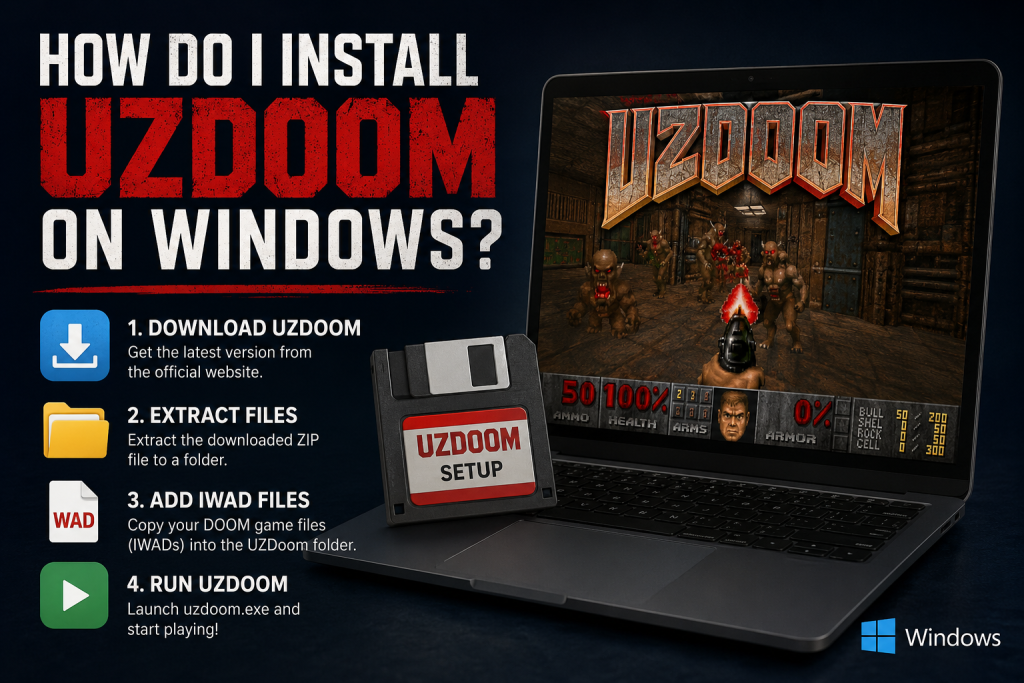
Installing UZDoom on Windows is a simple process that lets you enjoy classic DOOM games with modern enhancements such as improved graphics, widescreen support, customizable controls, and compatibility with thousands of community-created mods. Whether you’re a longtime DOOM fan or a newcomer exploring the series for the first time, setting up UZDoom only takes a few steps.
You’ll need to download the latest UZDoom release, obtain the official game files (known as IWADs), and configure the source port for the best gaming experience. This guide walks you through every stage of the installation process, from downloading and setting up the software to launching your favorite DOOM titles. By the end, you’ll be ready to experience classic gameplay with the convenience and performance of a modern Windows PC.
Read More: Is UZDoom Free to Download and Use?
What Is UZDoom?
UZDoom is a modern Windows source port designed to run classic DOOM engine games.
It allows players to enjoy titles such as:
- DOOM
- DOOM II
- Final DOOM
- Heretic
- Hexen
- Strife
Unlike the original DOS versions, UZDoom includes support for high resolutions, customizable controls, OpenGL or Vulkan rendering (depending on the build), modern audio, improved compatibility, and thousands of community-made mods.
Instead of replacing the original game, UZDoom requires the official game data files (called IWAD files) to run.
System Requirements
Before installing UZDoom, make sure your Windows PC meets these basic requirements:
- Windows 10 or Windows 11
- 64-bit processor
- At least 2 GB RAM
- DirectX-compatible graphics card
- Around 500 MB of available storage
- Official DOOM IWAD files
Most modern computers can run UZDoom without any performance issues.
Download UZDoom
The first step is downloading the latest Windows version of UZDoom from its official source.
Avoid downloading the program from unknown websites because unofficial builds may be outdated or modified.
After downloading:
- Save the ZIP archive.
- Extract it to a folder such as:
C:\Games\UZDoomAvoid installing it inside protected Windows folders like Program Files, as Windows permissions can sometimes interfere with mods and configuration files.
Obtain the Required IWAD Files
This is the step many beginners overlook.
UZDoom does not include the original DOOM games.
Instead, you need the official game data files, commonly called IWADs.
Examples include:
- DOOM.WAD
- DOOM2.WAD
- PLUTONIA.WAD
- TNT.WAD
- HERETIC.WAD
- HEXEN.WAD
You can obtain these legally by purchasing classic DOOM games from platforms like Steam or GOG.
After locating the IWAD files, simply copy them into your UZDoom installation folder.
Your folder might look like this:
UZDoom
│
├── uzdoom.exe
├── doom2.wad
├── doom.wad
├── gzdoom.pk3
├── config.ini
Launch UZDoom
Once the IWAD files are in place:
Double-click uzdoom.exe.
On the first launch, UZDoom scans the folder and detects all available IWAD files.
If multiple games are found, you’ll see a menu asking which game you’d like to launch.
Simply choose your preferred title and click Play.
After that, the game loads normally.
Configure Graphics Settings
One of UZDoom’s biggest advantages is its modern graphics support.
After launching the game:
- Open the Options menu.
- Navigate to Display Settings.
- Select your monitor resolution.
- Enable widescreen mode.
- Adjust brightness and gamma if needed.
- Choose your preferred rendering backend.
Higher resolutions provide a much sharper experience compared to the original DOS versions.
Customize Controls
Modern control customization makes gameplay much more comfortable.
Open:
Options → Customize Controls
Here you can:
- Rebind keyboard keys
- Configure mouse sensitivity
- Enable mouse look
- Adjust movement speed
- Configure controller support
Many players also enable free look and smoother mouse movement for a more modern FPS experience.
Installing Mods in UZDoom
One reason UZDoom remains popular is its excellent mod support.
Installing mods is simple.
Download a compatible:
- PK3 file
- PK7 file
- WAD file
You can launch mods by dragging them onto uzdoom.exe or loading them through the launcher.
Many total conversions, gameplay improvements, visual upgrades, and custom campaigns work perfectly with UZDoom.
Always verify that a mod supports your version of UZDoom before installing it.
Save Your Configuration
After customizing your settings, UZDoom automatically creates a configuration file that stores:
- Graphics preferences
- Audio settings
- Key bindings
- Gameplay options
- Screen resolution
- Installed add-ons
This means you won’t need to configure everything again each time you launch the game.
Common Installation Problems
Although installation is generally simple, some users encounter minor issues.
UZDoom Can’t Find IWAD Files
This usually means the game data files aren’t in the correct folder.
Ensure your DOOM WAD files are located inside the main UZDoom directory or point UZDoom to their location.
Game Won’t Start
Try:
- Updating your graphics drivers
- Re-extracting the latest UZDoom release
- Running the program as a normal user
- Checking that your antivirus hasn’t quarantined any files
Black Screen
Update GPU drivers and switch to a different rendering backend in the graphics settings if available.
Mods Don’t Load
Make sure:
- The mod is compatible with UZDoom.
- You’re using the correct IWAD.
- The mod isn’t corrupted.
- You loaded the files in the proper order if multiple mods are required.
Tips for the Best UZDoom Experience
To get the most out of UZDoom:
- Keep UZDoom updated to the latest version.
- Organize your mods into separate folders.
- Back up your save files regularly.
- Experiment with graphical enhancements.
- Use community-created maps and campaigns for nearly endless replayability.
- Keep your original IWAD files in a safe location.
Why Choose UZDoom?
UZDoom combines the nostalgia of classic DOOM with modern convenience. It offers improved compatibility, better visuals, customizable controls, and extensive support for community-created content. Whether you’re revisiting the original games or exploring thousands of fan-made campaigns, UZDoom provides a smooth and flexible way to enjoy the DOOM experience on Windows.
Conclusion
Installing UZDoom on Windows is a quick and beginner-friendly process that allows you to enjoy classic DOOM games with modern features and improved performance. By downloading the latest UZDoom version, adding the required IWAD files, and configuring your preferred settings, you can start playing within minutes. Whether you’re revisiting the original DOOM titles or exploring the vast library of community-made mods, UZDoom provides a smooth, customizable, and reliable gaming experience.